Project Theme
X-Thread is a platform dedicated to fostering more meaningful, in-depth, and equitable group discussions among XJTLU students in academic and language classrooms.
We integrate GenAI, collaborative workspaces, and structured workflows to break time/space barriers and transform fragmented discussions into structured, recordable, and synchronized collaboration processes.
Introduction
Why This Track?
We chose the B1 XJTLU Group Discussions track because, as XJTLU students ourselves, we have lived through the very frustrations this project addresses. We believe the intersection of playful interaction design and collaborative learning presents a unique opportunity to do more than build another meeting tool — it lets us reimagine the entire discussion experience as something students genuinely want to participate in.
Existing Problems
Time Conflicts
Hard to schedule synchronous collaboration; on-campus study spaces often fully occupied
Awkward Icebreaking
Unfamiliar team members → awkward atmosphere → difficult to start topics → low efficiency
Lack of Academic Support
No real-time academic support; complex questions get stuck; can only ask teachers/TAs after class
Disorganized Records
No structured records; key ideas easily lost; messy notes; hard to find discussion logic during review
Opportunities
GenAI + Collaboration Tools can solve these problems:
- GenAI provides real-time academic guidance
- Shared spaces support real-time mind mapping, whiteboards, idea recording
- Break through location/time constraints; fill gaps in support and recording
Project Aims
Break Geographical & Temporal Barriers
Empower XJTLU students with a flexible, hybrid collaboration platform that eliminates scheduling and location barriers, enabling them to join group discussions anytime, anywhere.
Deliver Real-Time AI-Powered Support
Provide instant, context-aware academic support through integrated GenAI, helping students resolve questions and clarify concepts in real time to keep discussions productive.
Preserve & Organize Key Insights
Enhance idea retention and post-meeting accountability with collaborative mind mapping and shared whiteboarding tools, ensuring key insights are captured, organized, and easily revisited.
Streamline & Boost Participation
Eliminate awkward silences and low engagement in randomly-assigned teams with guided onboarding and structured workflows, reducing social friction and helping groups dive into productive discussions faster.
Literature Review & Product Analysis
Key Research Papers
Online Group Projects in Higher Education: Persistent Challenges and Implications for Practice
2023A comprehensive survey of real student experiences with online group projects, identifying persistent challenges across multiple institutions and proposing evidence-based recommendations grounded in practitioner experience.
Advantages
- Provides authentic student perspectives from diverse institutional contexts
- Identifies recurring pain points (coordination, communication, free-riding) with clear evidence
- Offers practical, implementable recommendations for educators and platform designers
Shortcomings
- Focuses primarily on asynchronous formats; limited discussion of synchronous real-time collaboration
- Does not explore technological interventions (AI, gamification) as potential solutions
- Data predates widespread adoption of GenAI tools in higher education
LLM-based Collaborative Agents with Pedagogy-guided Interaction Modeling for Timely Instructive Feedback
2025Pioneers the integration of LLM-based agents with pedagogical interaction modeling to provide timely, instructive feedback in task-oriented group discussions, demonstrating measurable improvements in discussion quality.
Advantages
- Novel combination of LLM agents with established pedagogical frameworks
- Provides a concrete technical architecture for real-time AI-driven feedback generation
- Demonstrates measurable improvements in task-oriented discussion outcomes
Shortcomings
- Limited to task-oriented discussions; may not generalize to open-ended academic discourse
- Requires significant computational infrastructure not available to all institutions
- Does not fully address potential risks of student over-reliance on AI feedback
Collaborative Concept Maps in Higher Education: Pedagogical Contributions, Cognitive Challenges, and Optimization Strategies
2025A comprehensive review of collaborative concept mapping in higher education, identifying specific cognitive challenges students face and proposing actionable optimization strategies for interactive visual learning tools.
Advantages
- Thorough review linking pedagogical theory to practical concept mapping implementation
- Identifies specific cognitive challenges (cognitive load, coordination overhead) with clarity
- Proposes concrete optimization strategies transferable to digital collaboration platforms
Shortcomings
- Limited empirical validation of the proposed optimization strategies
- Focuses on concept maps as a single modality; does not explore integration with broader tools
- Does not address accessibility considerations for students with disabilities
Usability and User Satisfaction Rate Evaluation on E-Learning Application Using Nielsen Usability Method
2021Demonstrates the practical application of Nielsen's heuristic evaluation framework in e-learning contexts, providing clear metrics (usability score, satisfaction rate) and a replicable evaluation methodology.
Advantages
- Applies a well-established, industry-standard evaluation framework (Nielsen's heuristics)
- Provides clear, quantifiable metrics (usability score, satisfaction rate) suitable for benchmarking
- Offers a replicable methodology directly applicable to e-learning platform evaluation
Shortcomings
- Study sample limited to a single institution; findings may not generalize across contexts
- Evaluates existing platforms rather than informing forward-looking design decisions
- Does not incorporate complementary evaluation methods (cognitive walkthrough, A/B testing)
Competitive Product Analysis
User Journey Map
Discovery
Student learns about the platform through class introduction or peer recommendation
Onboarding
Creates account, sets up profile, joins relevant discussion groups
Exploration
Browses discussion topics, reads existing conversations, understands the platform
Participation
Posts comments, responds to peers, engages in meaningful discussions
Growth
Earns badges, builds reputation, sees personal progress and learning outcomes
Core Features
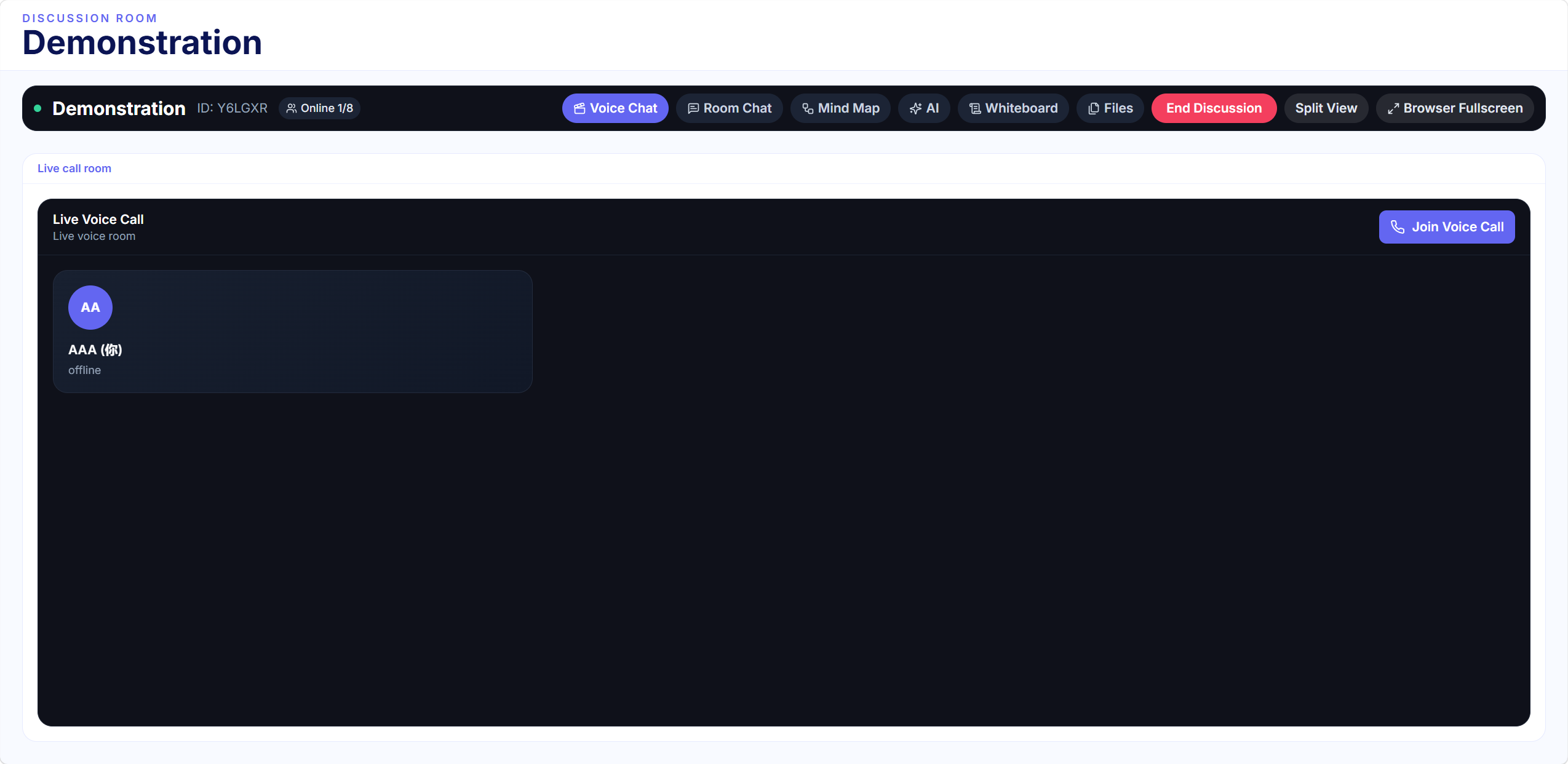
Voice Conference
Stable realtime voice meetings
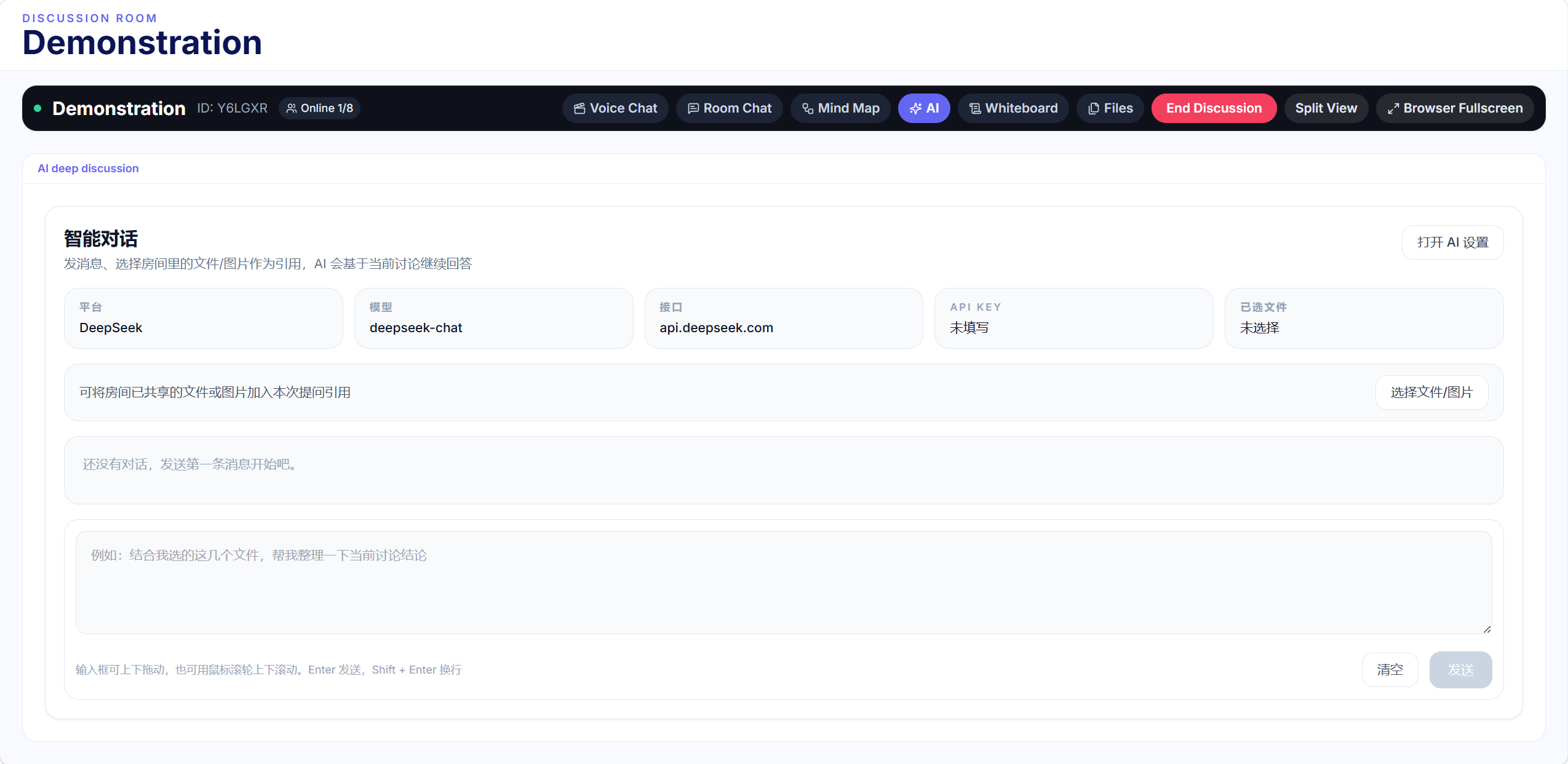
AI Real-time Q&A
Instant academic support to keep discussions flowing
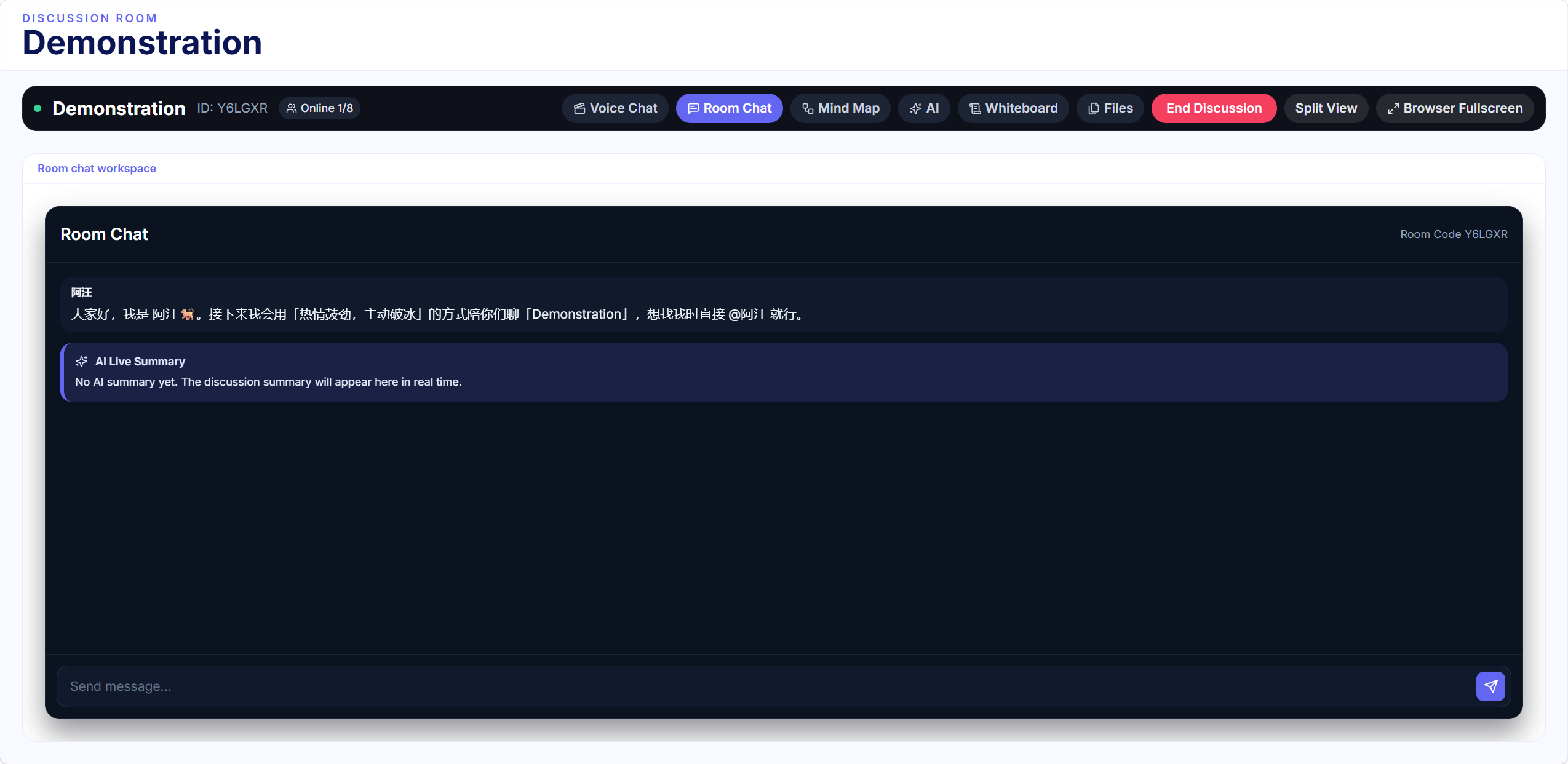
AI Pet Icebreaking
Manual-triggered AI pet for structured icebreaking
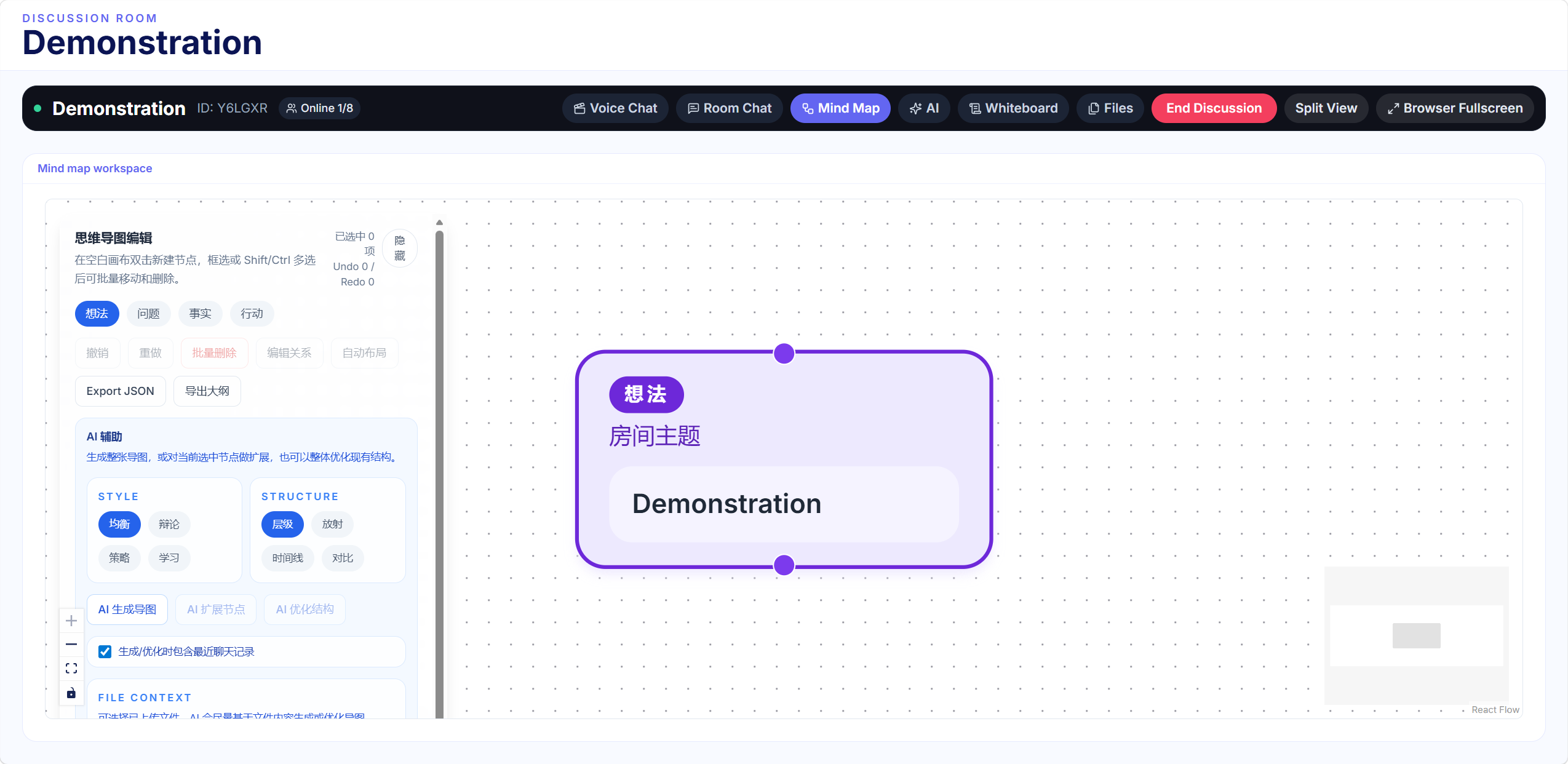
Collaborative Mind Map
Real-time collaborative mind mapping for discussions
Shared Whiteboard
Flexible and quick idea recording board for brainstorming
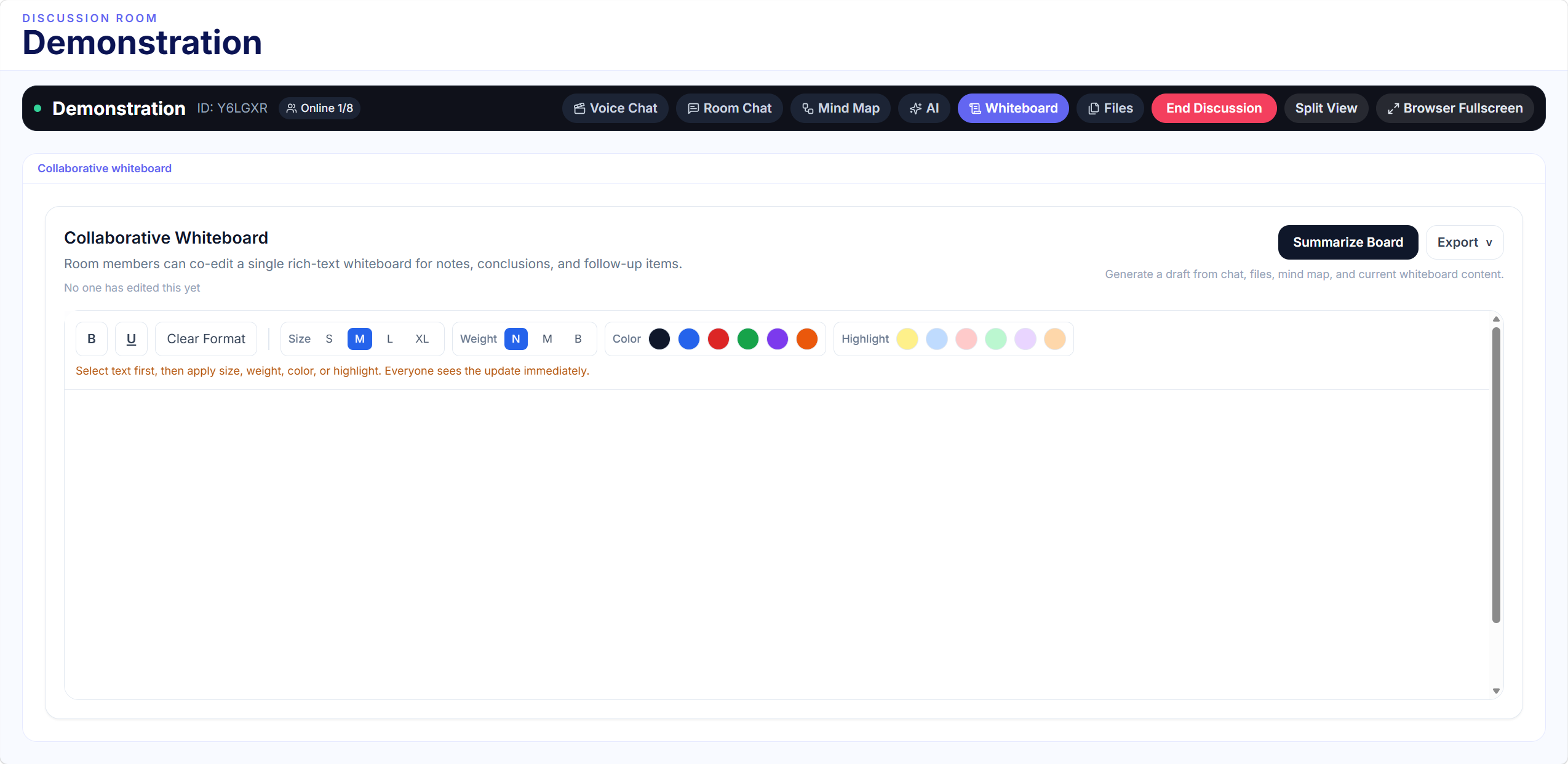
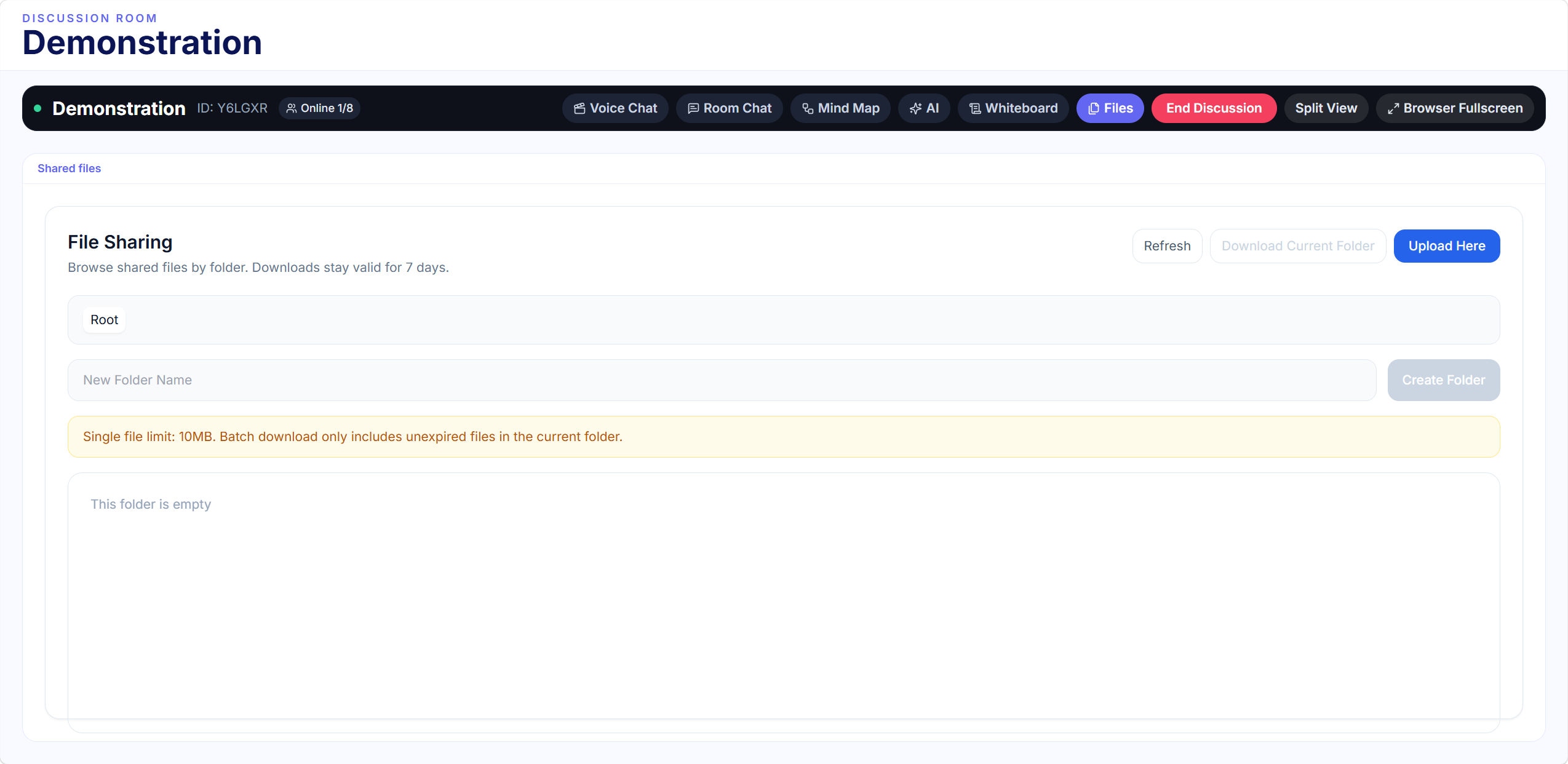
File Sharing
Seamless file sharing with collaborative annotation
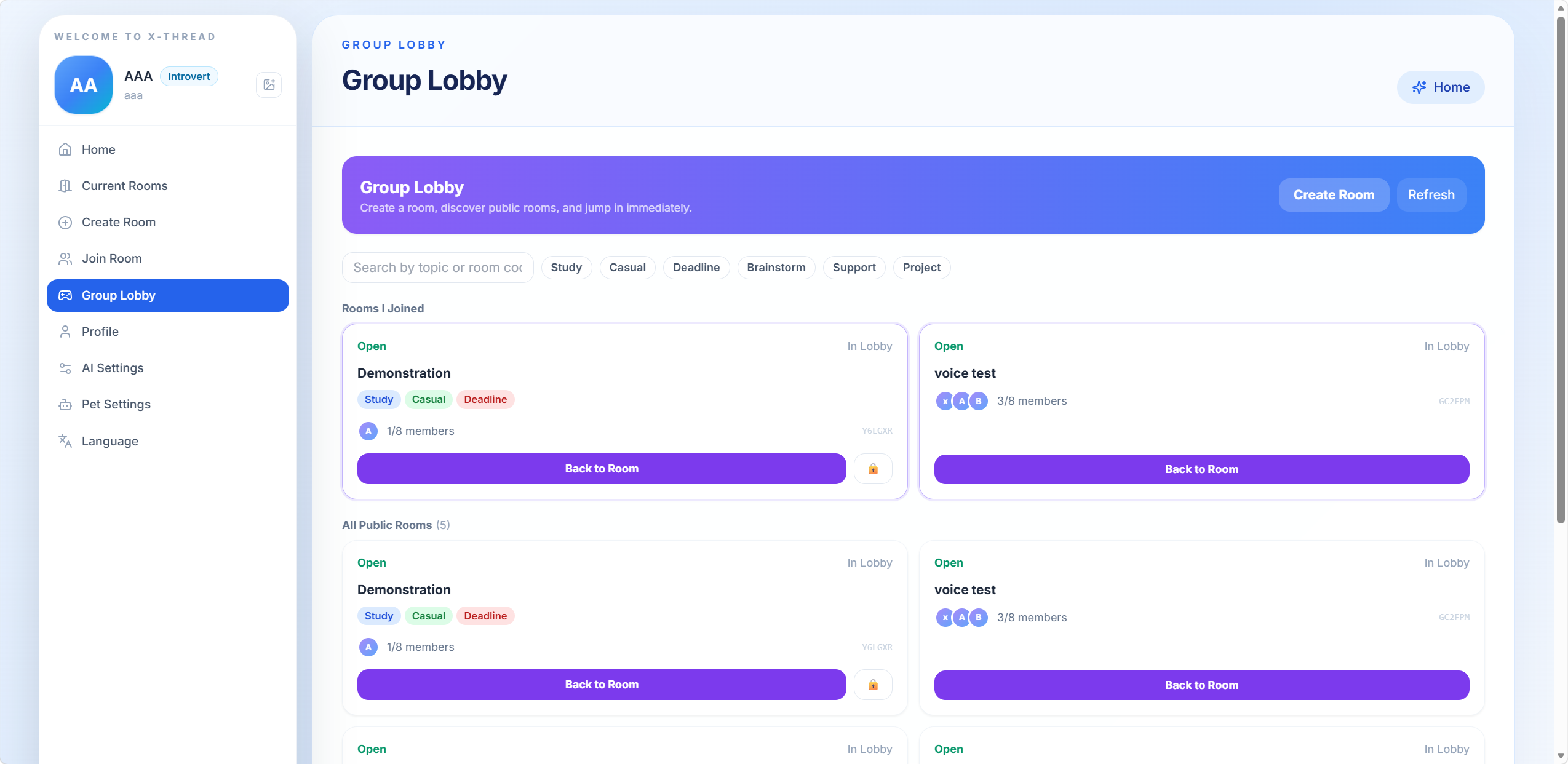
Group Lobby
Structured icebreaking and team matching platform
Requirements Discovery
User Interview Key Findings
1. Current Group Collaboration Workflow
Scheduling: Coordinate meeting times via group chat, then book offline study rooms for discussions.
Hybrid fallback: If in-person meetings are impossible, they use WeChat voice messages and manual notes.
Pre-work & problem-solving: Members study materials individually first; if stuck, they wait to ask teachers or seniors after class.
2. Key Pain Points & Inefficiencies
Coordination barriers: Severe schedule conflicts and fully booked classrooms often force late-night meetings.
Awkward group dynamics: Unfamiliar teammates create awkward silences and low-efficiency discussions.
Disorganized communication: Chaotic chat logs and scattered notes make key points hard to find or review.
Lack of real-time support: No immediate academic help leads to repeated roadblocks and wasted time.
Poor traceability: Manually compiled notes lack clear discussion logic, making follow-up work difficult.
3. Implication for X‑Thread
A structured platform to reduce scheduling and coordination friction
Tools to lower awkwardness and improve discussion flow
Built-in real-time academic support
Structured, auto-synced note-taking for clear progress tracking
Target Users
Cristina
20, Senior 3, Financial Mathematics, XJTLU
Efficiency-FocusedA busy student balancing 3–4 weekly group projects, portfolio work, and study-abroad applications. She is familiar with hybrid learning but frustrated by unstructured, inefficient collaboration.
Key Frustrations
- Dislikes awkward icebreakers and small talk
- Struggles with off-topic discussions and dead air
- Feels lost without a clear meeting structure
- Frustrated by messy chat logs and scattered notes
Hanyi.Xu
20, Senior 3, Electrical Engineering, XJTLU
Connection-FocusedA social, outgoing student who thrives in collaborative settings. He loves connecting with new teammates and often acts as the "glue" of the group, keeping conversations inclusive and lively.
Key Frustrations
- Dislikes overly rigid meetings that kill natural conversation
- Hates awkward silences and one-sided discussions
- Frustrated when quiet members hold back ideas
- Disorganized chat logs lose collaborative energy
Core User Requirements (6 Must-Haves)
1. Structured Onboarding & Icebreaking Support
Offer dedicated team matching and guided icebreaker activities to help users quickly adapt to unfamiliar teammates and reduce awkwardness.
2. Live AI-Powered Problem Solving
Provide real-time, in-meeting AI assistance to answer study-related questions and resolve confusion on the spot, preventing wasted time due to roadblocks.
3. Collaborative Mind Mapping & Idea Organization
Support live co-editing of mind maps during discussions to capture key insights in real time, with automatic post-meeting summaries for easy review.
4. Quick & Flexible Idea Logging
Include a shared note-taking board to capture spontaneous thoughts, ensuring no ideas are lost during the discussion.
5. Seamless Document Sharing & Analysis
Enable in-meeting file sharing and collaborative annotation for efficient document review and discussion, supporting post-meeting summary work.
6. Full-Featured Video Call Environment
Offer a stable, full-featured video call experience to support smooth communication for hybrid team collaboration.
Playful Design Requirements (3 Must-Haves)
A system is not "playful" simply because it has bright colors or animations. True playfulness emerges from interaction mechanics that surprise, engage, and lower social barriers. The following three core features define the playful soul of X-Thread — each inspired by game design patterns that make participation irresistible rather than obligatory.
Team Lobby — Game-Like Team Matching
Inspired by multiplayer game lobbies
"Transforms 'finding study partners' into an intuitive, low-friction experience — lowering the psychological barrier of initiating discussions and making random team formation both efficient and genuinely enjoyable."
Forced Sequential Speaking — "Emergency Meeting" Mode
Inspired by social deduction games like Goose Goose Duck
"Each person is allotted ~60 seconds to present their views, with the system strictly prohibiting interruptions or cross-talk — guaranteeing every member an equal opportunity to contribute."
In-Room AI Assistant — Real-Time Intelligence
Inspired by AI companions in modern productivity tools
"Acting as a 'silent teaching assistant,' the AI enriches discussion depth without overstepping into human interaction — augmenting intellectual quality while preserving natural social dynamics."
Field Research & Documentation
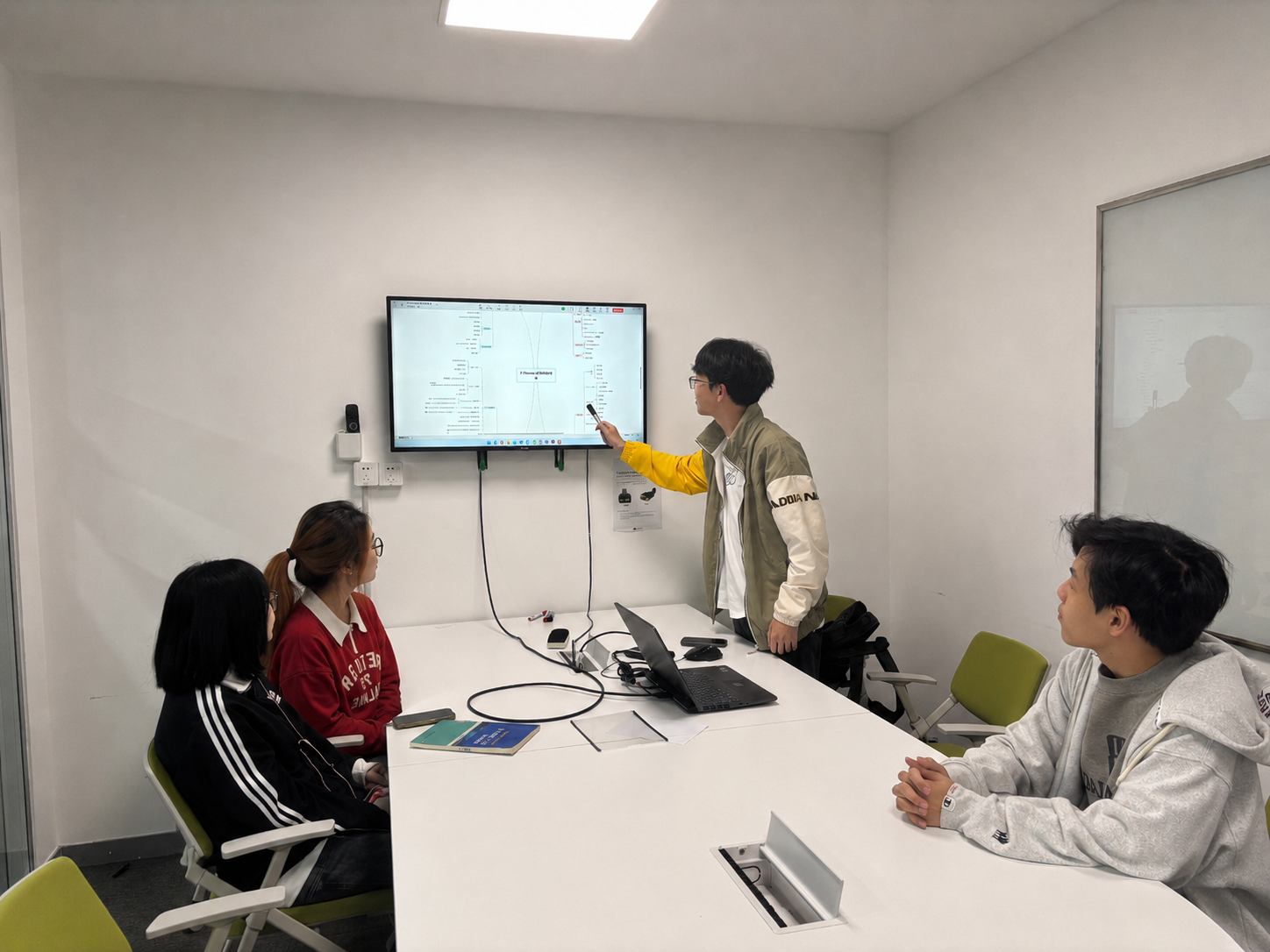
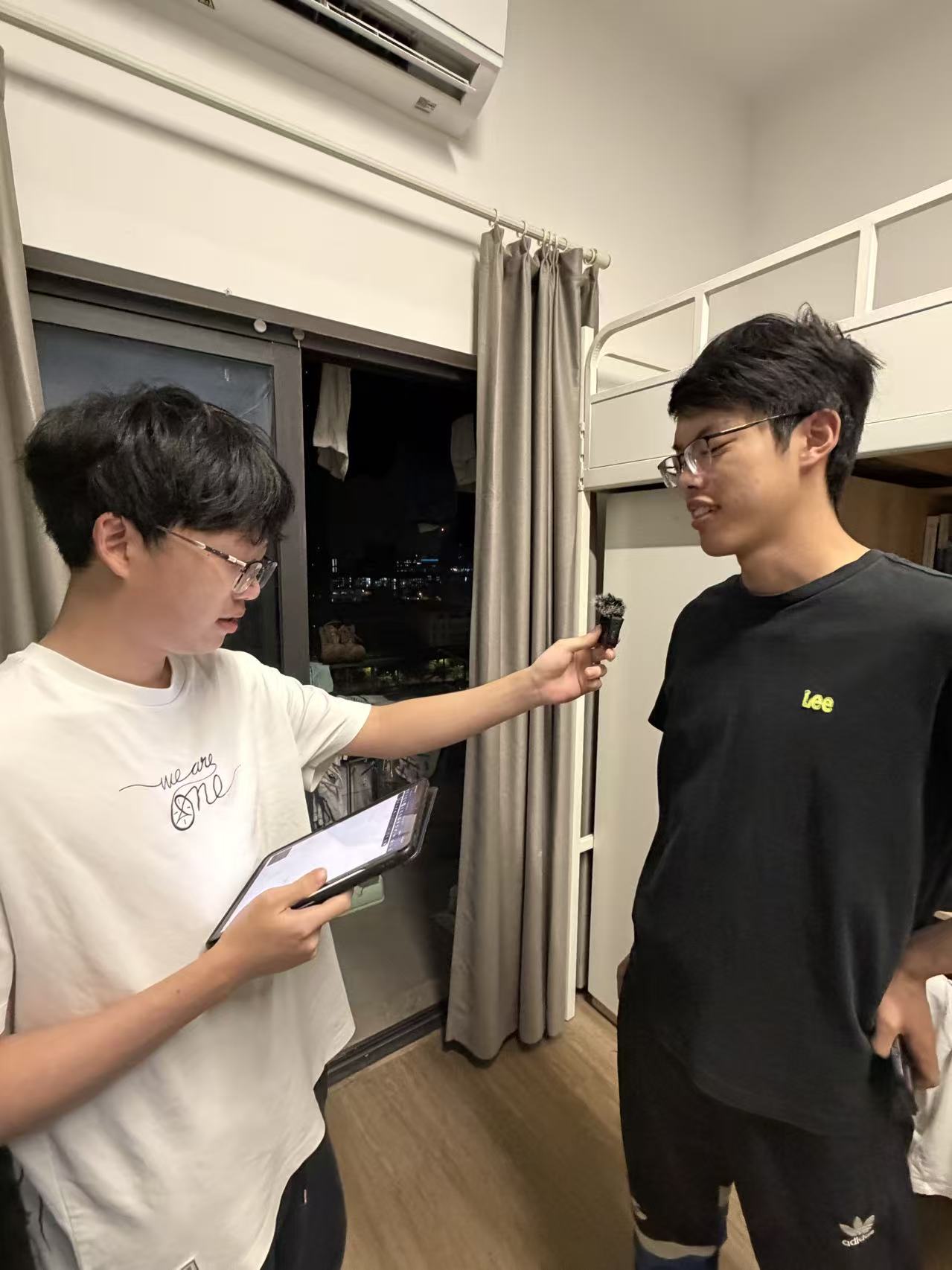

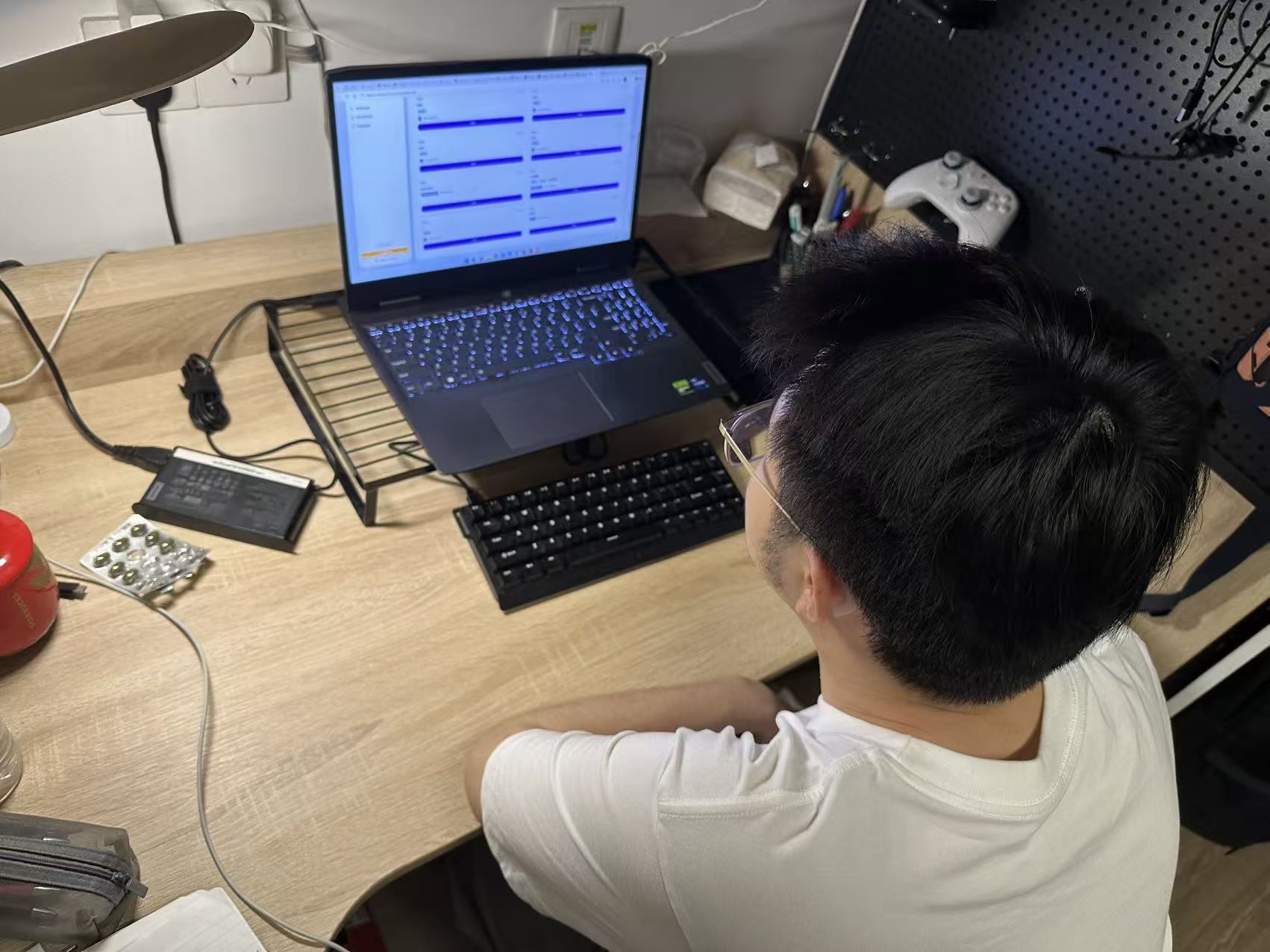
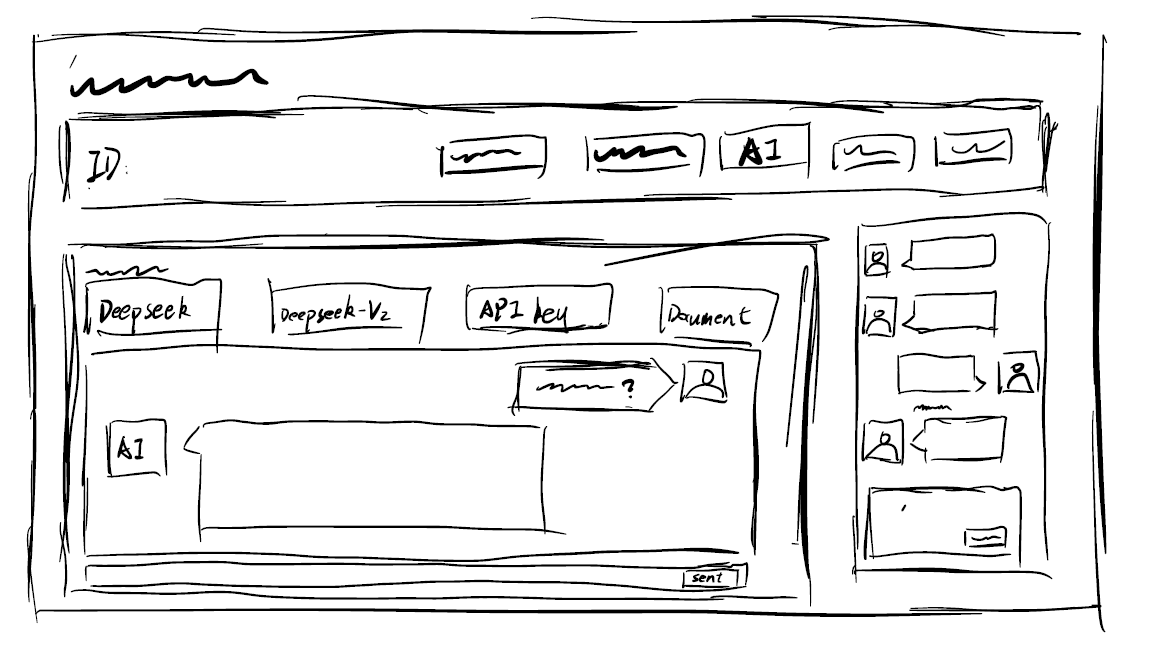
Crazy Eights Sketching
AI Assistant
Real-time AI help for study questions
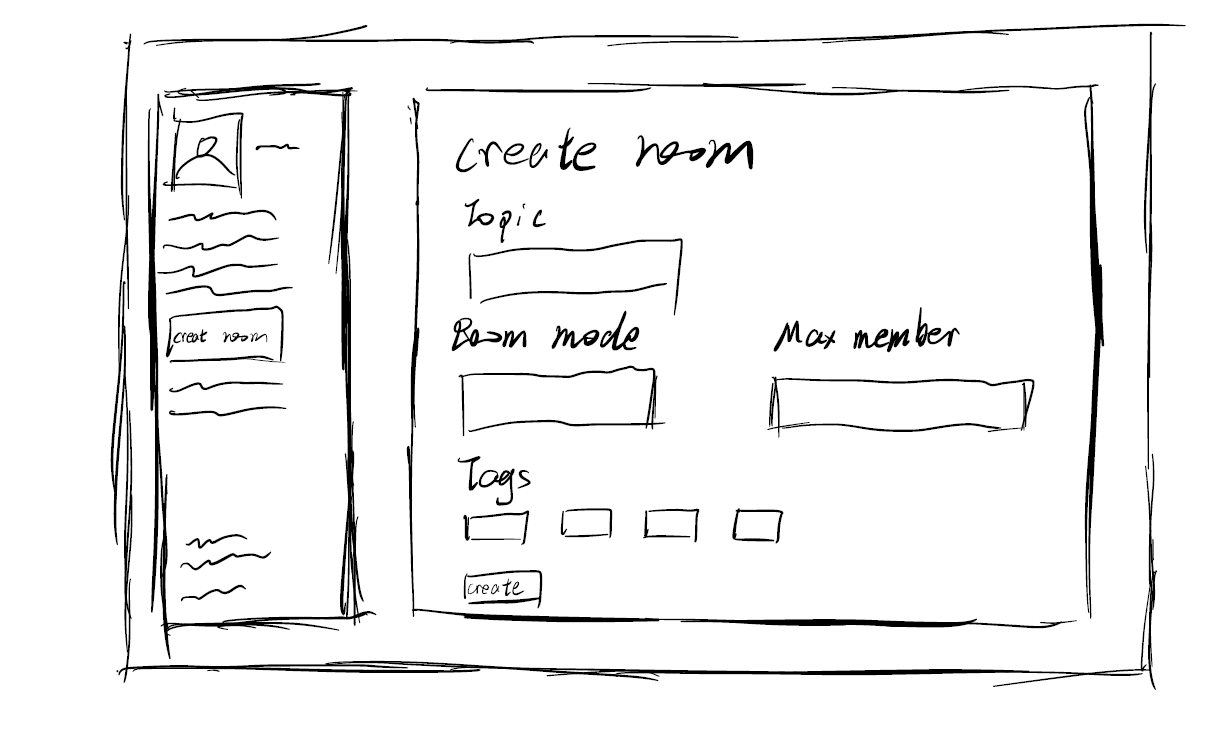
Create Room
Create a new study room with custom settings
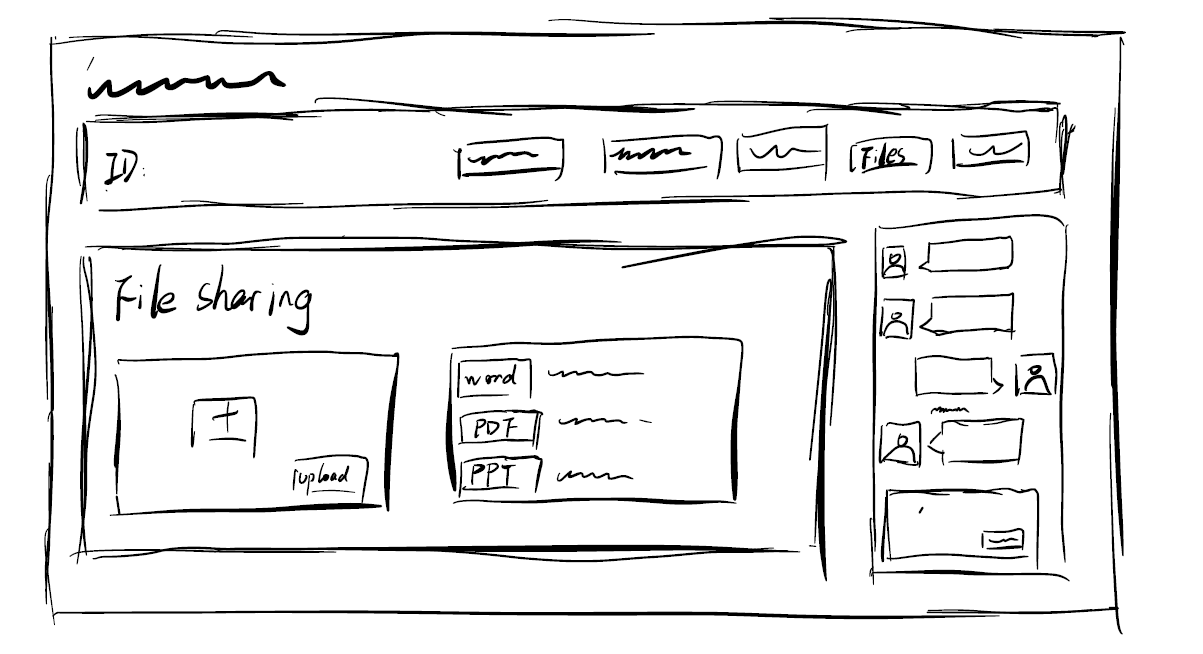
File Sharing
Share and collaborate on files in real-time
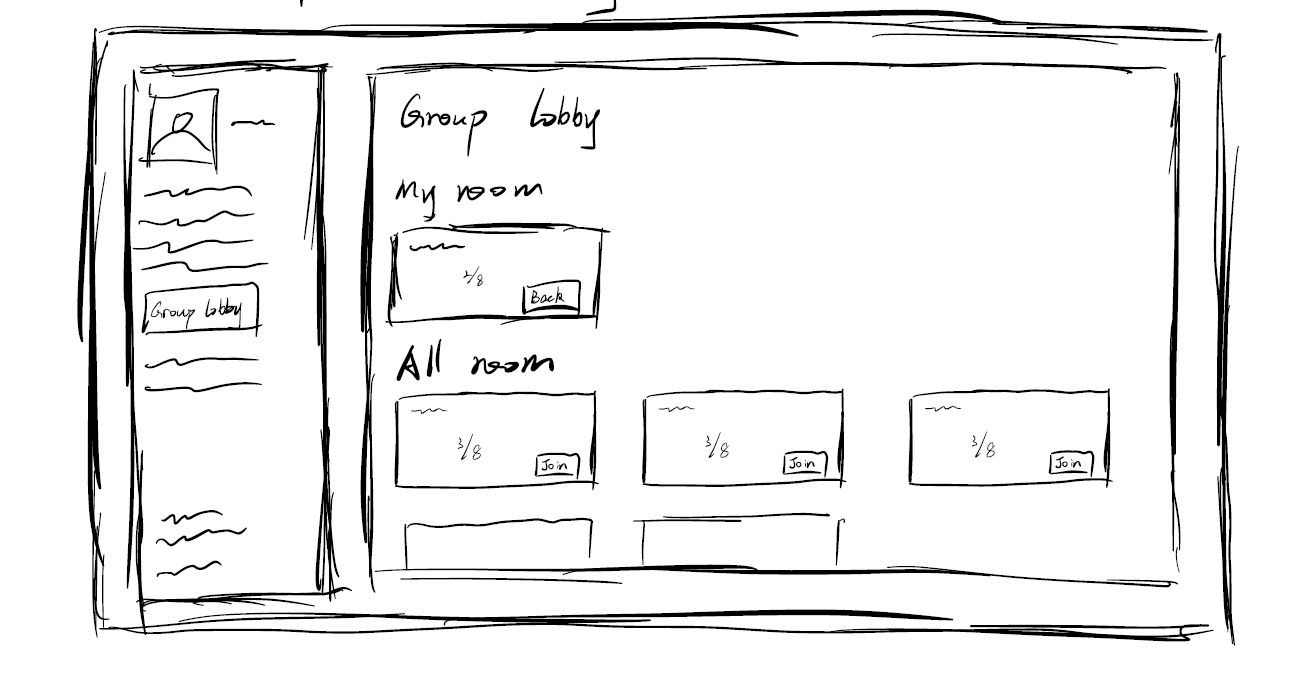
Group Lobby
Team matching and icebreaking activities
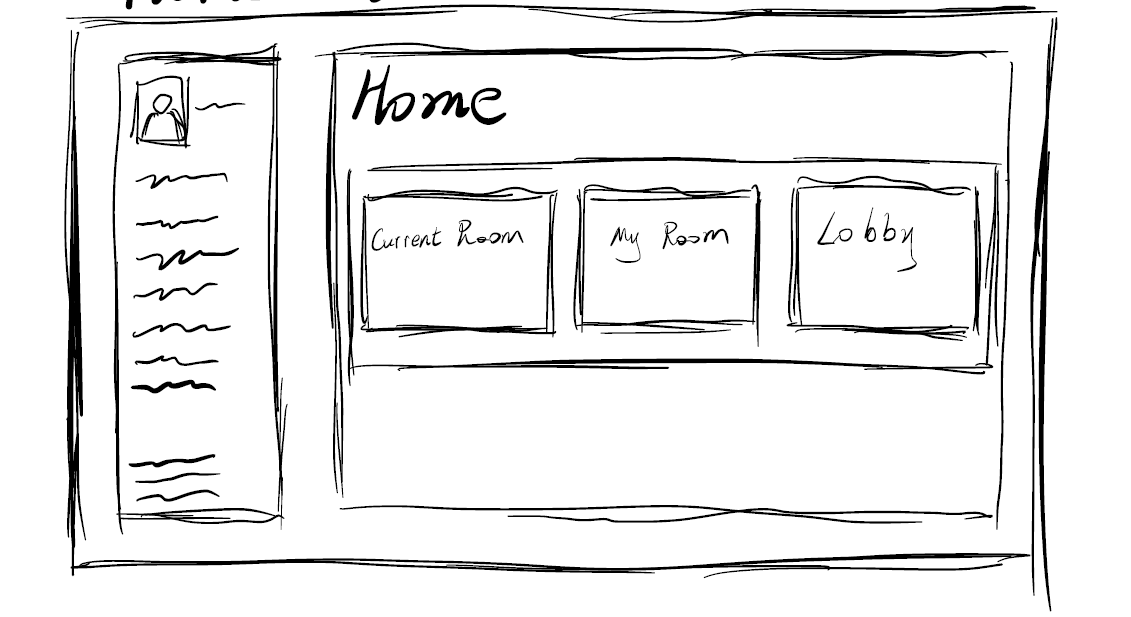
Home Dashboard
Overview of your study groups and activities
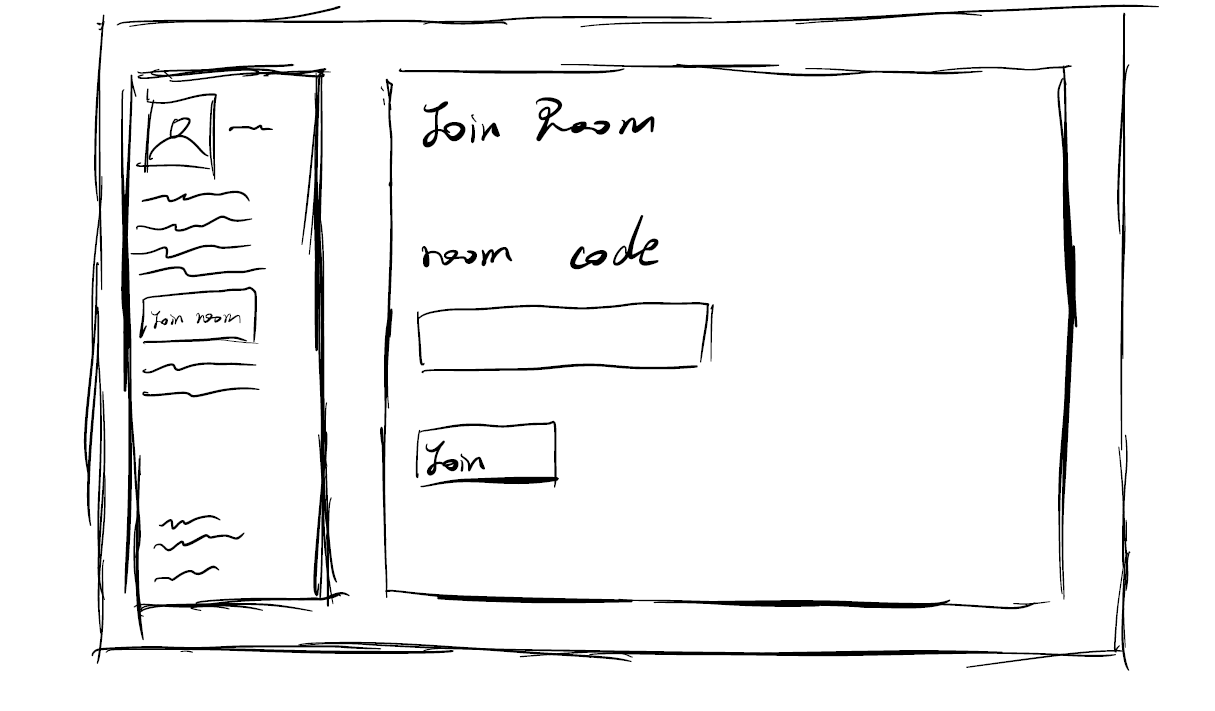
Join Room
Join existing study rooms and discussions
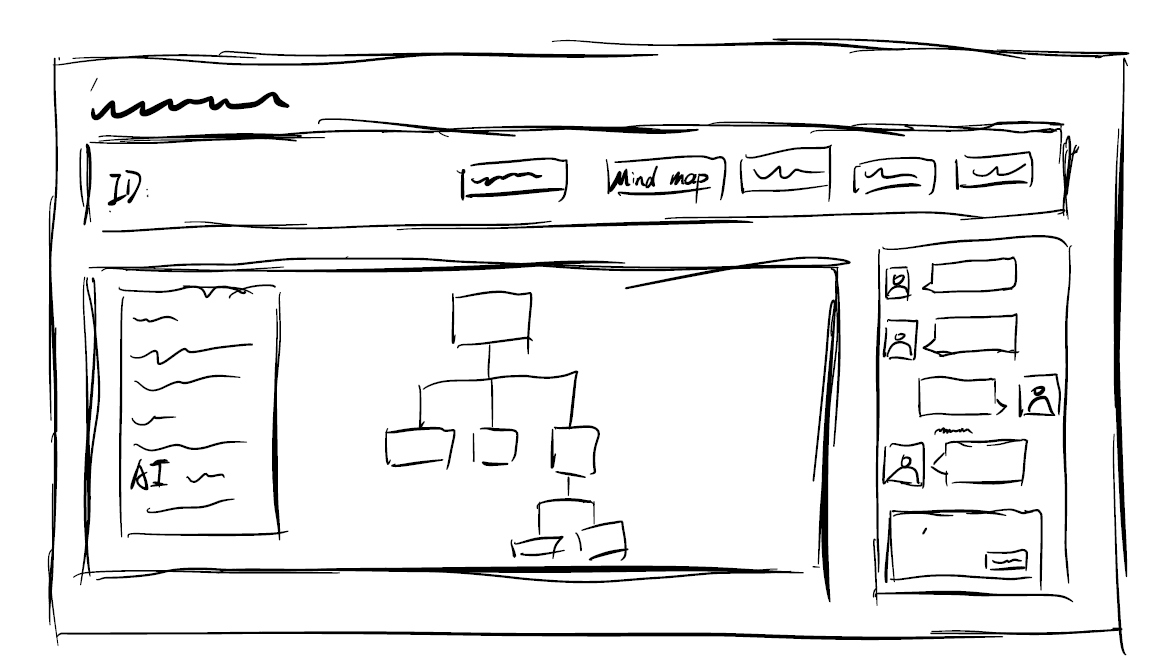
Mind Mapping
Collaborative mind mapping for brainstorming
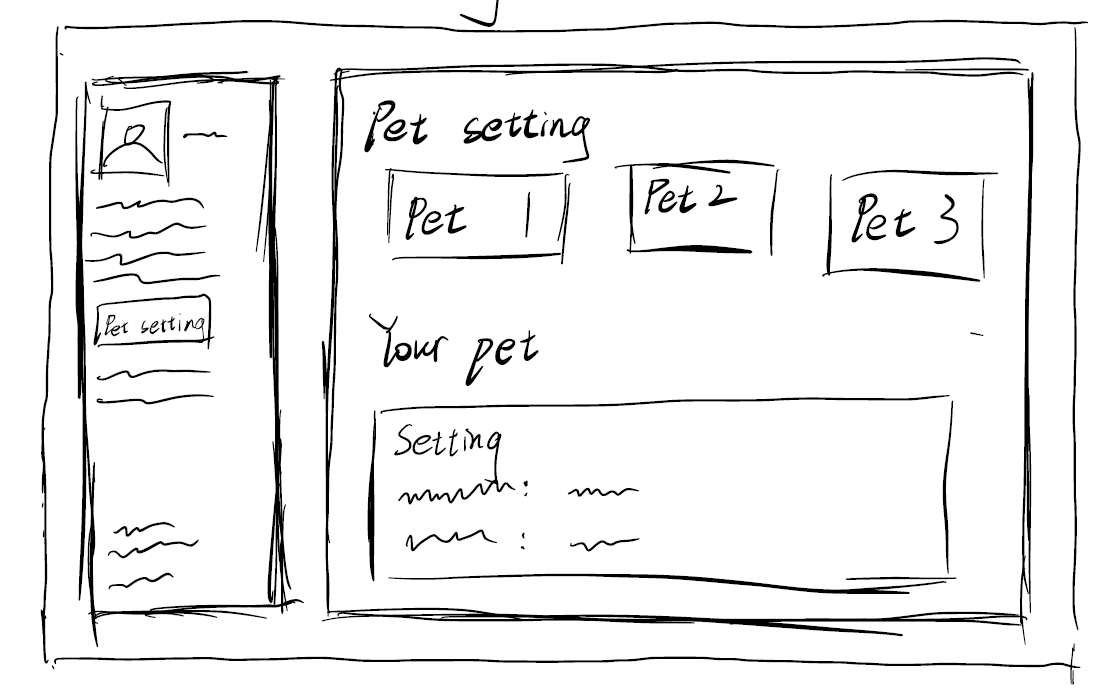
Pet Settings
Customize your AI icebreaking pet
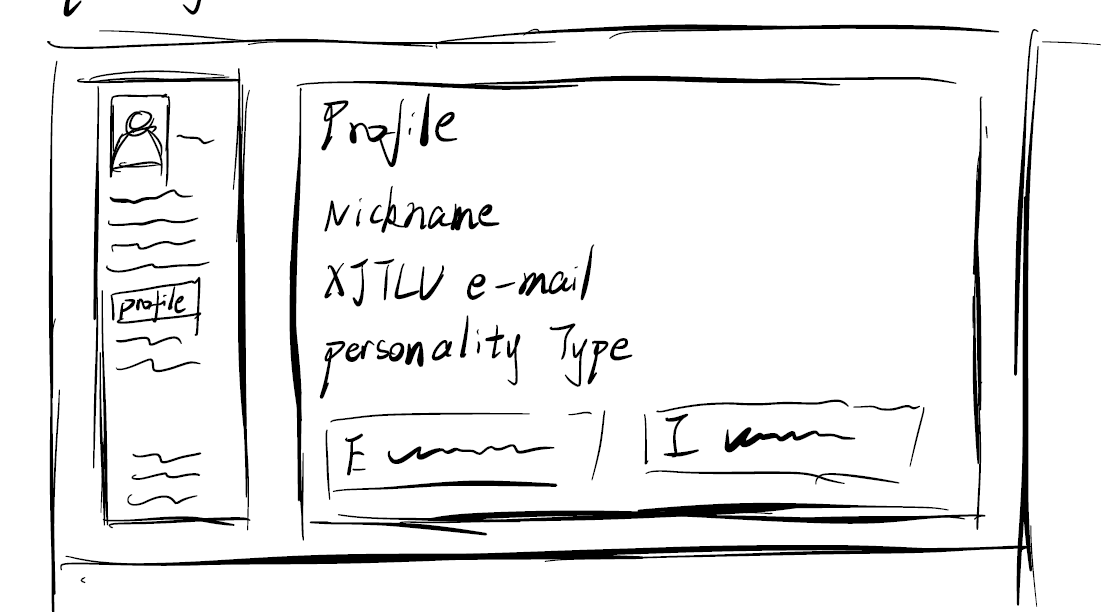
Profile Page
View and edit your personal profile
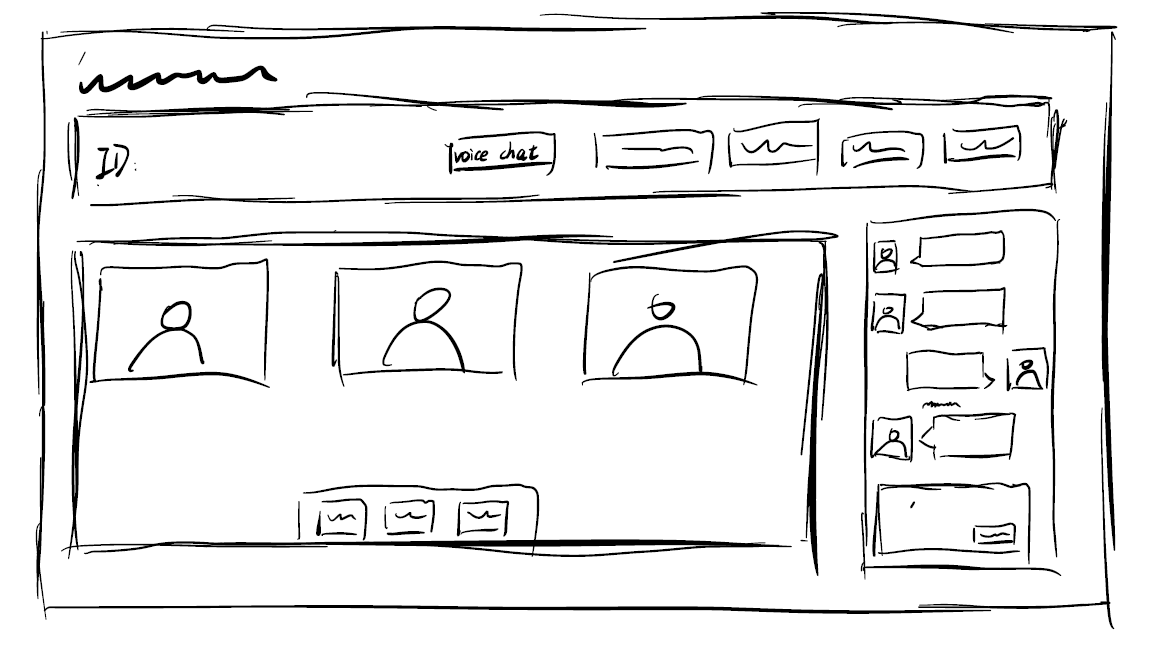
Voice Chat
Video calls with screen sharing capabilities
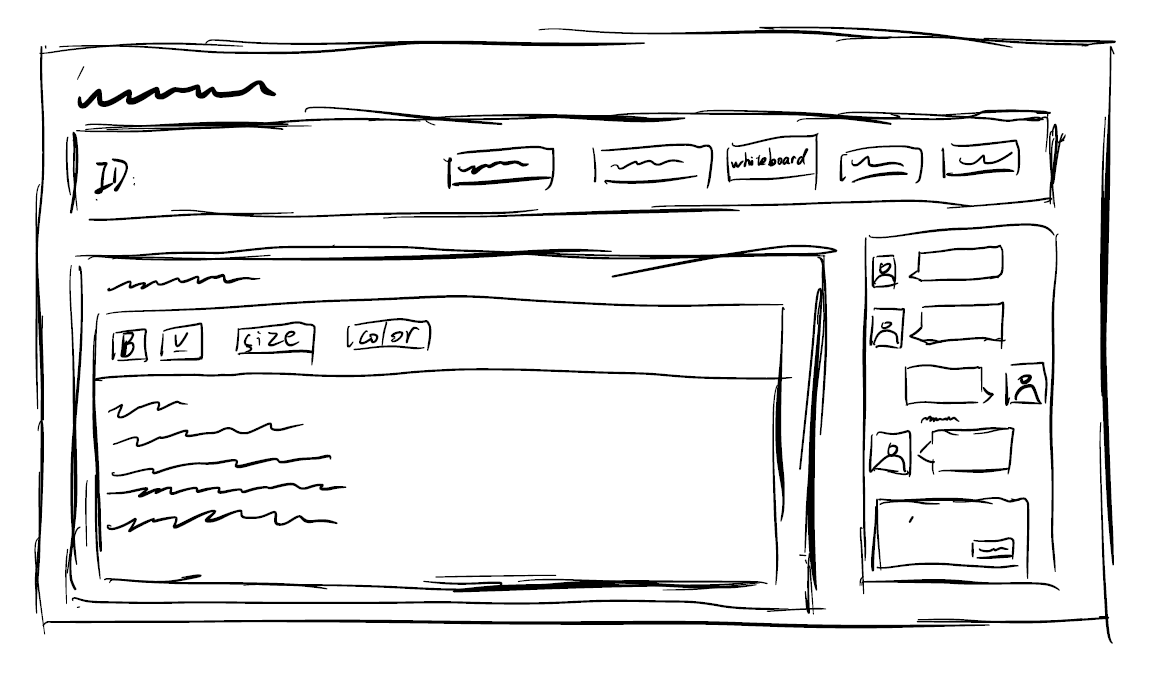
Whiteboard
Flexible whiteboard for collaborative drawing
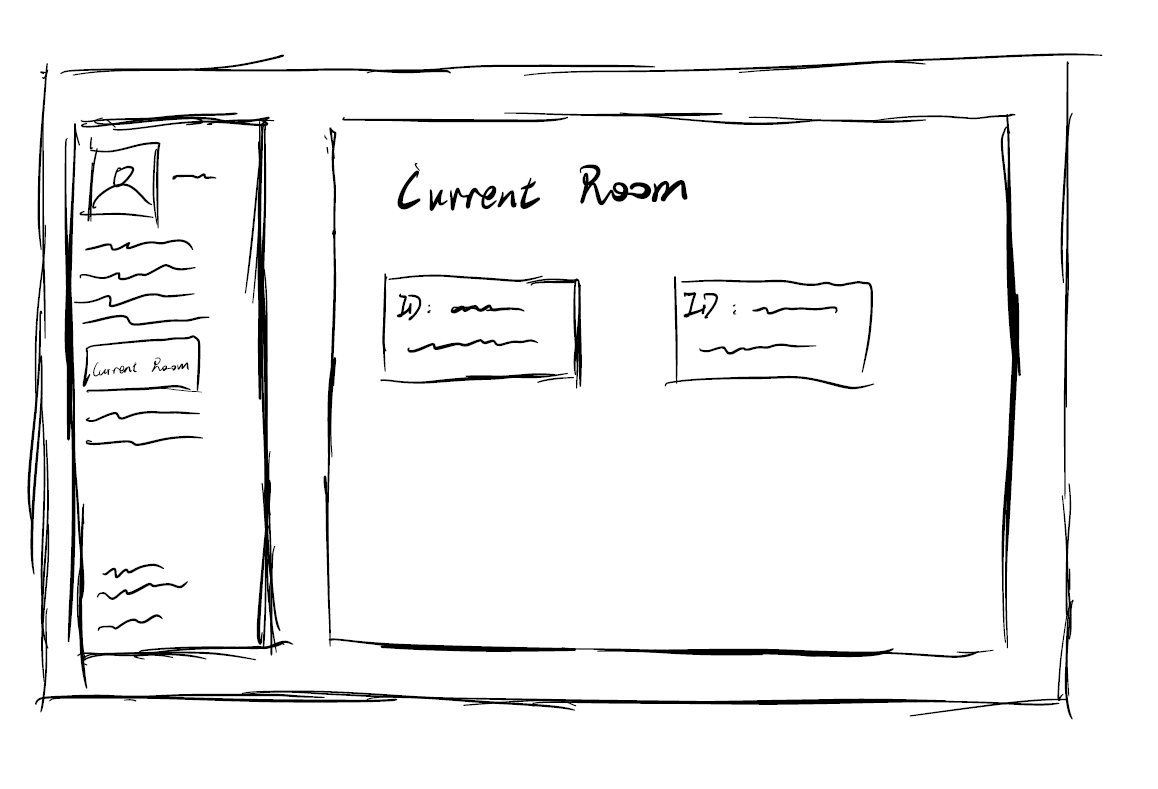
Current Room
View and manage your current study room
Design Iterations & Comparisons
Version 1 - Initial Concept
- Traditional forum layout
- Linear discussion structure
- Basic text-only interface
- Limited visual feedback
Version 2 - Enhanced Design
- Card-based modern UI
- Threaded discussions with branching
- Rich media and emoji support
- Gamification elements
System Architecture
PostgreSQL 16
Primary database — users, rooms, messages, whiteboard state, mind‑map nodes
Redis 7
Session cache, real‑time pub/sub, BullMQ job queue backing store
MinIO
S3‑compatible object storage for shared files, whiteboard snapshots, exports
Team Responsibilities
Yulin Xia
Project Architect & Technical Lead
Responsible for the overall framework construction and technical architecture design of the X-Thread project, built the core service system and standardized development structure, and ensured the stable operation and logical integrity of the entire collaboration platform.
Yihan Zhang
UI/UX Prototyping Designer
Completed the high-fidelity web prototype design of the platform, participated in the overall design and production of the project poster, focused on user interaction logic and interface usability optimization, and improved the product experience.
Yifei Li
Visual Designer & Prototype Developer
Collaborated in the web interactive prototype design, independently completed the project poster design and finalization, integrated product functions with visual presentation, and guaranteed the visual unity and professionalism of the project.
Ziqian Wang
Functional Developer & Portfolio Specialist
Developed and implemented partial core functions of the project, continuously promoted project iteration and optimization, and was responsible for the production and sorting of the project portfolio, ensuring the systematic presentation of project achievements.
Evaluation and Impact
Evaluation Methods (3 Types)
📊 SUS System Usability Scale
15 XJTLU students completed 10-question survey
Users highly recognize usability and learnability
🎯 Nielsen Heuristic Evaluation
- Visibility of system status: File transfer, meeting, collaboration status clearly displayed
- Recognition rather than recall: Core features directly visible, unified icons
- Consistency and standards: Platform-wide style/interaction unified, meets usage habits
🔄 A/B Test (AI Smart Pet Icebreaking)
Manual trigger (@pet name) → User controllable pace, no disruption
Auto trigger (timed/silence popup) → High interaction but easy to interrupt
Through the simulation meeting test, the performance of the two prototypes, A and B, in terms of meeting efficiency, navigation efficiency, ease of learning, error rate, etc. was compared: Prototype B has stronger interactivity, but it is prone to interrupting discussions and distracting users' attention; Prototype A, on the other hand, enables users to control the pace independently, avoiding interference with the focus of the meeting. Therefore, Prototype A was ultimately selected as the AI pet prototype.
✅ Final choice: Prototype A
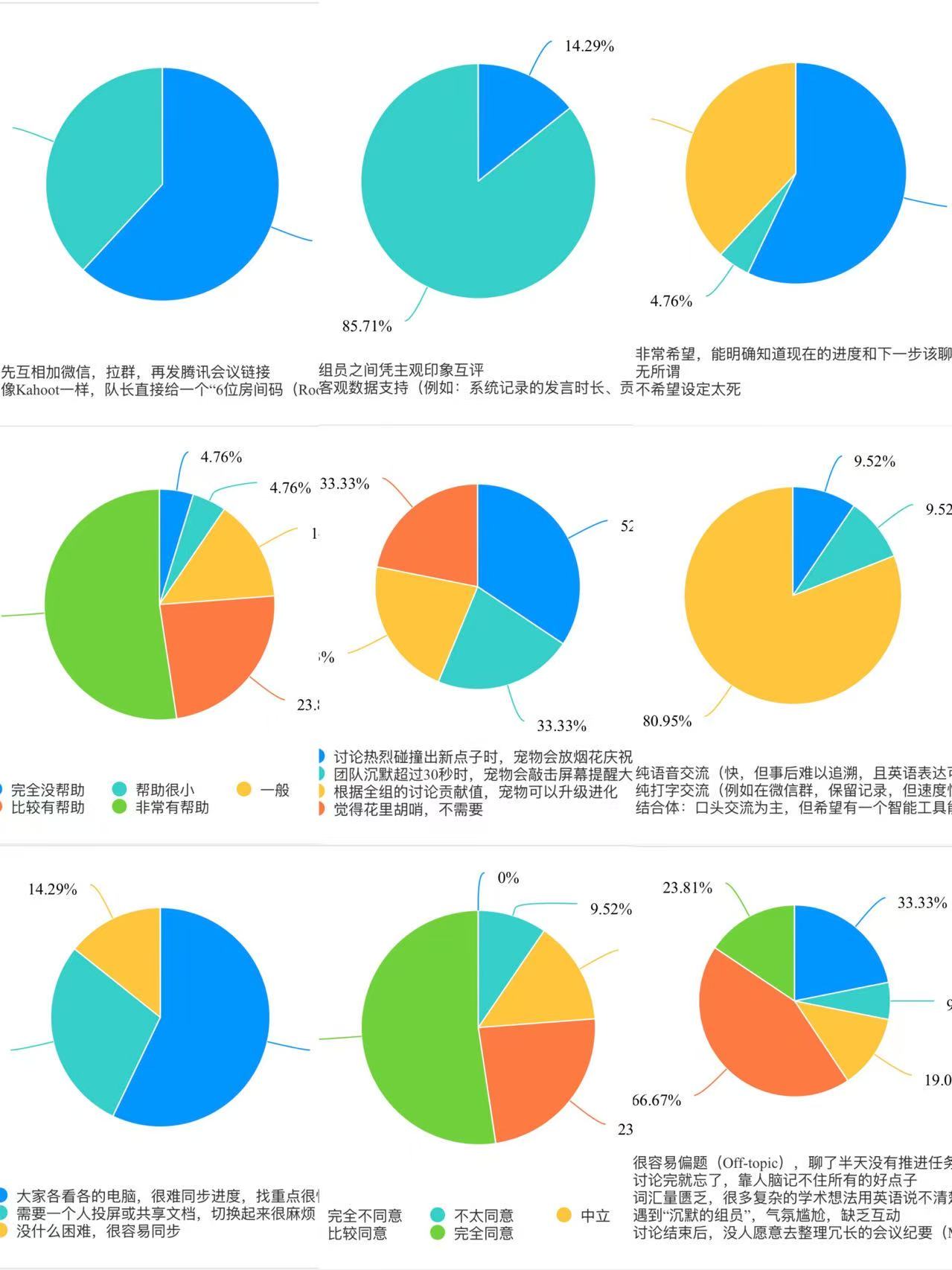
Survey Data Results
Product Description Clear
Stability Excellence
Module Usage
Most Time-Consuming/Troublesome Links
Personal work progress synchronization difficult
Screen sharing switching inefficient
No difficulties
Evaluation Methods (3 Types)
Most Time-Consuming/Troublesome Links
Personal work progress synchronization difficult
Screen sharing switching inefficient
No difficulties
Project Value
Visualize discussions with real-time whiteboard, mind mapping, AI assistance
Lower social and technical barriers, support inclusive participation
Solve remote meeting fragmentation problem
Transform inefficient communication to structured, recordable, synchronizable collaboration process
Implementation & Conclusion
Implementation Outcomes
Conclusion - Summary
X-Thread provides XJTLU students with an anytime, anywhere group collaboration meeting platform, integrating real-time whiteboard, mind mapping, AI assistance, and icebreaking interaction, transforming scattered discussions into a structured synchronization process, significantly improving communication efficiency and participation experience.
Current Limitations
Campus Single Sign-On (SSO) Integration
We were unable to implement XJTLU email-based account registration, meaning users currently rely on generic login methods rather than the university's official authentication system.
Custom AI Integration & Specialized Agent
Our planned integration with XJTLU's exclusive campus AI was not completed. In the future, connecting to this service would eliminate the need for users to configure external API keys. We also aim to explore training a specialized AI agent tailored to support student group discussions.
Security Testing
Comprehensive security audits and penetration testing have not been performed on the platform. As a result, there is a potential risk of user information leakage, which will require further testing and hardening in future iterations.
Post-Meeting Contribution Analytics
The platform currently lacks post-meeting statistics on member participation and automatic contribution calculation. This feature would help students track engagement, distribute work fairly, and provide transparent records for peer evaluation.
Future Optimization Directions
Campus Account Integration
We will actively communicate with the university's IT department to explore the implementation of XJTLU Single Sign-On (SSO), enabling one-click login with student emails to streamline registration and ensure exclusive access for campus users. We will also refine role-based permission management, allowing instructors to view group discussion records and project progress as needed.
Advanced AI Integration
We will continue to coordinate with relevant university teams to integrate XJTLU's exclusive campus AI service, eliminating the need for manual API configuration and lowering the barrier to use. Building on this, we plan to train and deploy a specialized AI agent tailored for student group discussions, providing ice-breaking guidance, real-time academic support, opinion organization, and automated meeting summarization.
Platform Security Enhancement
Conduct comprehensive security audits and penetration testing to address potential vulnerabilities and prevent user information leakage. We will implement HTTPS encryption, data anonymization, and access control mechanisms to strengthen overall platform security.
Post-Meeting Contribution Analytics
Develop a post-meeting participation statistics module to automatically record metrics such as speaking duration, message count, and file contributions. We will also implement an automatic contribution calculation feature that generates visual reports, providing objective data for peer evaluation and instructor assessment.
Beyond these specific improvements, we will continue to iterate on the website based on user feedback and university requirements, ensuring the platform meets the needs of student collaboration at XJTLU.
Tools & References
Design Tools
Figma, Adobe XD, Miro, Sketch
Development Tools
VS Code, Git, GitHub, Node.js
AI Tools
ChatGPT, GitHub Copilot, DALL-E
Project Management
Trello, Notion, Discord, Google Workspace
Academic References
Technical Reflection
AI-Assisted Development Process
During the development of this project website, AI tools were systematically integrated into the design and coding workflow. The following documents the prompts used, verification methods applied, and ethical considerations observed throughout the process.
Prompts Used
1. Playful Geometric — Foundation Prompt
A foundational style prompt was used to establish a unified visual language across the entire website, ensuring consistency in color palette, typography, and geometric decorative elements. This provided the cohesive aesthetic backbone upon which all subsequent sections were built.
2. Component-Level Prompts — Targeted Generation
To prevent visual monotony and enrich design quality, we researched and curated refined UI component prompts from professional design websites. These targeted prompts were used to generate specific components — such as bento galleries, timeline, circular carousel, and interactive cards — each with a distinct visual identity while maintaining overall style coherence with the Playful Geometric theme.
3. Manual Refinement — Human Adjustment
After integrating AI-generated code, we performed manual adjustments tailored to actual content needs: resizing component dimensions to accommodate specific photo aspect ratios, fine-tuning animation parameters (duration, easing curves, trigger behavior), optimizing responsive breakpoints for cross-device consistency, and adjusting spacing and layout to ensure natural visual flow across all sections.
Verification Methods
Code Review
All AI-generated code was reviewed line-by-line before integration to ensure correctness and compatibility with the existing codebase.
Cross-Browser Testing
Visual rendering was verified across Chrome, Edge, and Firefox to ensure consistent appearance and behavior.
Responsive Validation
Responsive behavior was tested across mobile, tablet, and desktop viewports to ensure consistent layout adaptation.
Functional Testing
Each interactive component — lightbox modals, navigation, gallery carousels — was manually tested for correct behavior.
Ethical Considerations
Human Oversight Maintained
AI served strictly as a design and coding assistant, not a replacement for human decision-making. All design direction, content strategy, and final approvals remained under full team control.
Critical Judgment Applied
AI-generated outputs were treated as starting points, requiring human evaluation for appropriateness, accuracy, and quality before adoption. No code was deployed without team understanding and validation.
Academic Integrity
We ensured the final deliverable reflects genuine team understanding and capability. AI assistance augmented our workflow but did not substitute for the learning outcomes expected from this coursework.
Project Timeline
Final Polish and UI/UX Refinement
- Conducted final performance audit and responsiveness checks
- Applied micro-adjustments to layout, spacing, and scroll behavior
- Resolved minor UI issues including element overlapping and navigation responsiveness
- Project delivery confirmed
Deployment and Environment Stabilization
- Successfully deployed frontend to Render cloud hosting
- Verified production environment configurations and API endpoints
- Monitored system stability and load-time performance
Comprehensive System Testing
- Executed full system test suite covering all functional modules
- Validated end-to-end user flows in integrated staging environment
- Verified cross-browser compatibility and responsiveness across mobile/desktop
Phase Summary and Deployment Planning
- Systematically summarized project progress in development, testing, and deliverable production
- Confirmed on-time completion of function implementation, test validation, and poster production
- Developed a plan for web deployment and public release in next phase
Document Standardization and Acceptance Preparation
- Standardized academic documents covering requirements, design, testing, and summary sections
- Completed internal acceptance and deliverable confirmation in local environment
Full System Regression Validation
- Ran comprehensive regression testing to ensure stable performance with no regressions
- Validated collaboration workflows, interface rendering, and data persistence effectiveness
Poster Finalization and Deliverable Integration
- Completed visual optimization, content proofreading, and finalization of academic poster
- Compiled project resources, code, and documentation into a standardized deliverable package
Academic Poster Design and Content Development
- Established structure for X-Thread achievement poster in line with academic poster standards
- Organized core sections including research objectives, methodology, implementation, and conclusions
Functional Verification and Compliance Checking
- Executed full regression testing to confirm system meets module design requirements
- Performed compliance verification against CPT208 design specifications and methodologies
- Issued a phased test report
Defect Resolution and Test Case Expansion
- Identified and fixed functional defects exposed during integration testing
- Expanded test cases for edge and exception scenarios to improve test coverage
Local Integration and System Testing
- Deployed a complete local testing environment and conducted end-to-end integration testing
- Verified functional integrity, data consistency, and concurrent reliability across full workflows
- Logged and prioritized defects by severity
Public Holiday (Day Off)
Suspended all research and development activities; no development or testing tasks
Functional Closure and Unit Testing
- Completed development of all module-specified functions to achieve full requirement coverage
- Performed unit testing to verify functional correctness of individual components
- Conducted code review and version archiving
User Experience Optimization and Robustness Enhancement
- Optimized interaction flows and interface feedback mechanisms to improve system usability
- Fixed logical anomalies under boundary conditions to strengthen system stability
Functional Iteration and Modular Integration
- Advanced coding of key functions and refined business logic
- Carried out front-end and back-end integration to validate data transmission and state consistency
Implementation of Core Functional Modules
- Finished system infrastructure setup and environment configuration
- Implemented core functions including thread management, content editing, and real-time collaboration
System Architecture and Technical Scheme Design
- Completed overall architecture design and modular decomposition of X-Thread
- Formulated interaction workflows, data models, and interface specifications
- Produced technical design documents to ensure development consistency
Requirement Analysis and Research Framework Establishment
- Conducted requirement elicitation and analysis for X-Thread system following Human-Centric Computing paradigm
- Defined design methodology, technical roadmap, and evaluation metrics
First Draft Design
Designed first draft of the poster and completed the overall framework
Project Homepage Deployment
Completed the project homepage with team member information and deployed to GitHub Pages
Task Division and Theme Confirmation
Divided tasks among 4 team members and confirmed the project theme
Project Kickoff
Created GitHub repository and initialized the project structure